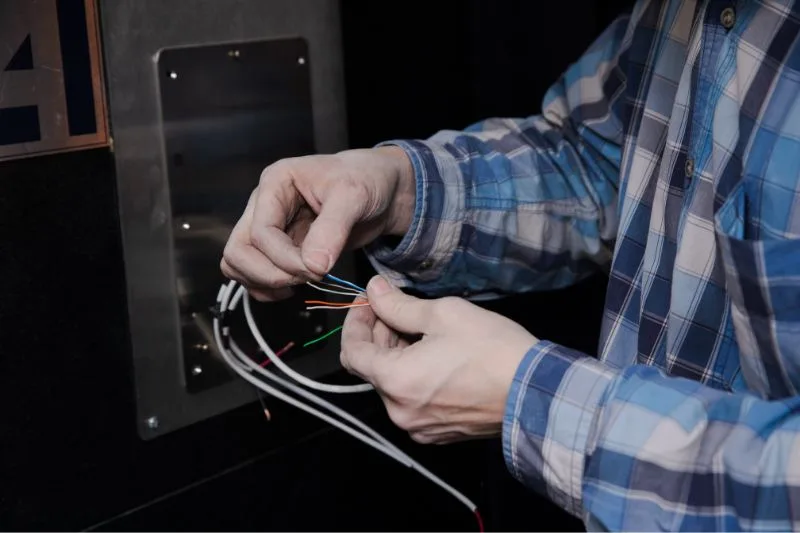
A wired doorbell is one of the simplest yet most reliable home devices. However, when something goes wrong, the culprit is often the wiring. Wires can loosen, corrode, or break over time, leading to frustrating problems like silence when someone presses the button or a weak, inconsistent chime. In this blog, we’ll explore the most common wiring issues in wired doorbells and how you can troubleshoot and fix them yourself.
Understanding the Wiring of a Doorbell
Before fixing wiring problems, it’s important to know the basics of how a wired doorbell works:
- The Button – Located outside your door, pressing it completes the circuit.
- The Chime Unit – Produces the sound when the circuit is complete.
- The Transformer – Steps down the home’s standard 120V current to a safe 16–24V for the doorbell.
- The Wires – Low-voltage wires that connect the transformer, button, and chime box.
👉 When the button is pressed, power flows from the transformer, through the button, into the chime, and back again. Any loose or damaged wire breaks this circuit.
Common Wiring Problems
1. Loose Connections
Over time, screws at the chime box, button, or transformer terminals can loosen. This leads to intermittent or no function.
Fix:
- Turn off the power.
- Check each connection point.
- Tighten screws and re-strip wire ends if they are corroded.
2. Frayed or Damaged Wires
Wires may become brittle, chewed by rodents, or cut during home repairs. This breaks the circuit.
Fix:
- Inspect visible wires for damage.
- Replace damaged sections with new low-voltage wire.
- Use wire nuts and electrical tape for splicing.
3. Corrosion at the Doorbell Button
Since the button is exposed to the elements, moisture can corrode the terminals and wire ends.
Fix:
- Unscrew the button.
- Clean terminals with fine-grit sandpaper or steel wool.
- If corrosion is severe, replace the button entirely.
4. Disconnected or Miswired Transformer
If the transformer wires are incorrectly connected or have come loose, the whole system won’t work.
Fix:
- Test transformer output with a voltage tester (should read 16–24V).
- If no power, reconnect or replace the transformer.
5. Short Circuits
If two bare wires touch, it can create a short, causing the chime to ring continuously or not at all.
Fix:
- Look for bare or melted wire ends.
- Separate them and wrap with electrical tape.
- Replace any wire showing burn marks.
6. Old or Brittle Wiring
In older homes, the insulation around wires may deteriorate, leading to exposed conductors.
Fix:
- Replace the full length of wiring if it’s too old.
- Use modern 16/18 gauge low-voltage doorbell wire.
Tools for Troubleshooting Doorbell Wiring
- Voltage Tester – To check if the transformer is outputting power.
- Multimeter – To confirm continuity in the circuit.
- Wire Strippers – For trimming and reconnecting wires.
- Screwdriver – For tightening loose connections.
👉 A multimeter is your best friend when diagnosing wiring problems. Set it to continuity mode and test between the button, transformer, and chime. No continuity = broken wire.
Preventing Future Wiring Issues
- Weatherproof your button: Seal the entry point with silicone caulk.
- Inspect annually: Look for exposed or corroded wires once a year.
- Secure wiring: Use staples or clips to keep wires from sagging or getting damaged.
- Upgrade old wiring: If your home still has cloth-insulated wires, replace them with modern cable.
When to Call a Professional
DIY fixes work for most wiring issues, but consider calling an electrician if:
- You’re not comfortable working near electrical panels.
- The transformer wiring seems complicated.
- The issue persists after replacing wires and connections.
Conclusion
Most wired doorbell failures come down to simple wiring issues—loose screws, corroded contacts, or broken wires. The good news is that these problems are easy to spot and fix with basic tools. By checking each part of the circuit systematically, you can restore your doorbell to working order in no time.
With proper installation, maintenance, and occasional wire checks, your wired doorbell system can last for decades without major issues.