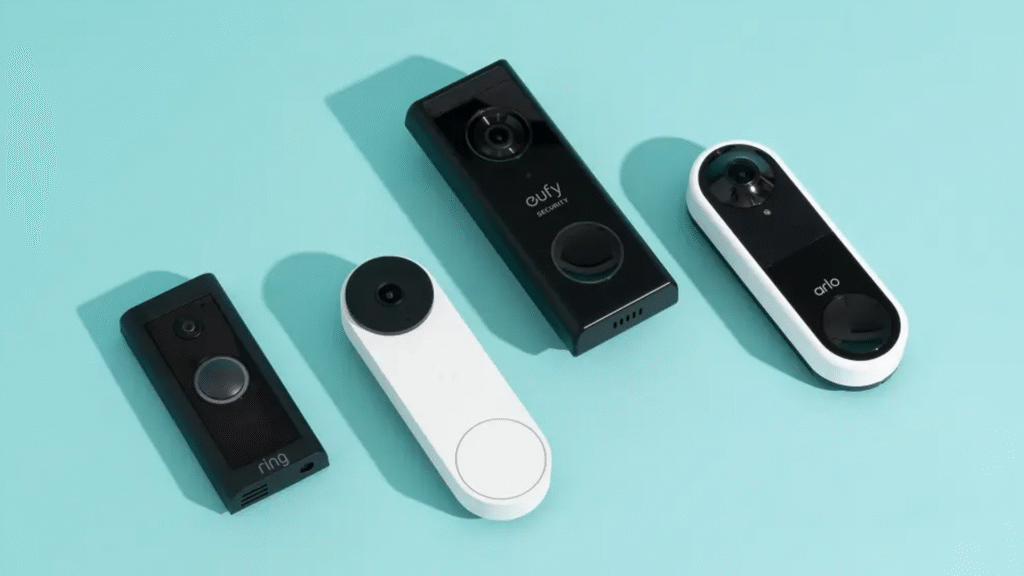
Smart doorbells have quickly become an essential part of home security. With brands like Ring, Google Nest, and Eufy dominating the market, homeowners often face the same question: Which one is the easiest to install, and which fits best with my setup?
This guide walks you through the installation process of Ring, Nest, and Eufy doorbells, highlighting the tools you’ll need, possible challenges, and which option works best for different types of homes.
1. Installing a Ring Doorbell
Ring has earned its reputation as the most beginner-friendly smart doorbell brand.
- Power Options: You can choose either battery-powered models or wired versions.
- Installation Steps:
- Download the Ring app.
- Charge the battery (for wireless models) or connect to your existing doorbell wiring (for wired models).
- Use the included mounting bracket and screws to fix it in place.
- Connect it to your Wi-Fi through the app.
- Setup Difficulty: Ring is generally straightforward. With most tools included in the package, the process usually takes 30–60 minutes.
Who should choose Ring?
If you’re a DIY beginner or a renter who wants something quick without hardwiring, Ring is a safe bet.
2. Installing a Google Nest Doorbell
Google’s Nest doorbell works best for people already using the Google Home ecosystem.
- Power Options: Available in battery or wired models.
- Installation Steps:
- Download the Google Home app.
- Charge the battery for wireless use.
- Mount it using screws and anchors (a drill may be required for brick or stucco).
- For wired installs, connect it to your existing chime and wiring.
- Setup Difficulty: Slightly more complex than Ring. Wired models often require a chime connector for proper power regulation, which adds another step. Expect installation to take around an hour.
Who should choose Nest?
If you already use Google Home, Google Assistant, or Nest devices, this is the most seamless option.
3. Installing a Eufy Doorbell
Eufy, owned by Anker, has gained popularity because it offers subscription-free video storage.
- Power Options: Available in both battery and wired models.
- Installation Steps:
- Download the Eufy Security app.
- Charge the battery if you’re going wireless.
- Secure the mounting plate with screws and anchors.
- If wired, connect it to your doorbell wiring.
- Sync the device with the Eufy app and your Wi-Fi.
- Setup Difficulty: Comparable to Ring in terms of wiring. However, some models require connection to a Eufy HomeBase hub, which can make the process slightly longer.
Who should choose Eufy?
If you want a budget-friendly option with no monthly cloud storage fees and don’t mind a little extra setup, Eufy is a solid choice.
Comparing the Three
Instead of a table, here’s the breakdown in plain terms:
- Ring is the easiest to install, includes most tools in the box, and works best for beginners or renters.
- Nest is best suited for those in the Google Home ecosystem but can be slightly more complex during installation, especially if you’re wiring it to an existing chime.
- Eufy offers long-term savings since it doesn’t require subscriptions, but you may need to set up an extra hub, making it a little less plug-and-play than Ring.
Final Thoughts
All three doorbells—Ring, Nest, and Eufy—can be installed by most homeowners without professional help. Your choice comes down to your comfort level with wiring and which smart home system you already use.
- Pick Ring if you want quick and easy setup.
- Pick Nest if you’re all-in on Google’s ecosystem.
- Pick Eufy if you value no subscription fees and strong local storage options.
With the right choice, you’ll not only get a smart doorbell installed but also a boost in home security and peace of mind.