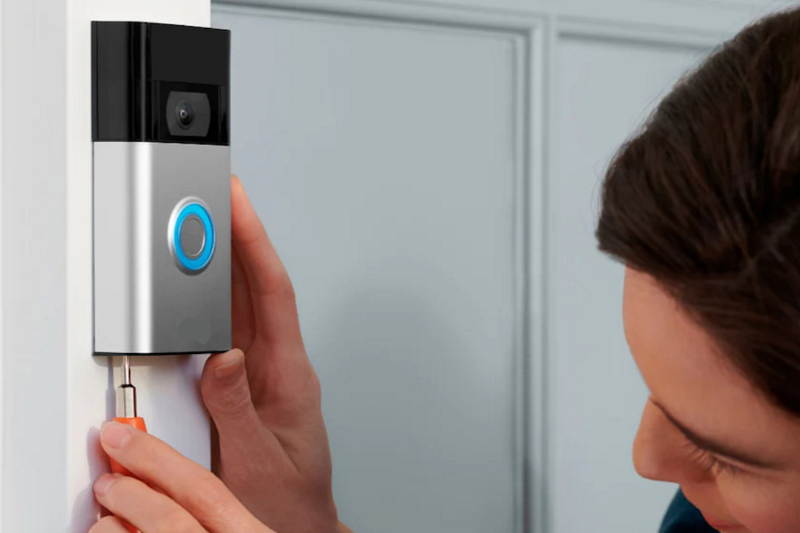
Wireless doorbells are simple, affordable, and practical for almost any home. But while installation is easier compared to wired doorbells, many homeowners still run into frustrating issues because of avoidable mistakes. Whether it’s poor placement, weak signal strength, or skipping essential setup steps, these mistakes can reduce performance and cause unnecessary headaches.
In this guide, we’ll cover the top 5 common mistakes people make when installing wireless doorbells—and how you can avoid them for a smooth, reliable setup.
Mistake 1: Mounting the Doorbell on Metal Surfaces
Wireless doorbells rely on radio frequencies to transmit signals from the button to the receiver. Mounting the transmitter button on a metal door frame, gate, or panel can block or weaken the signal.
✅ How to Avoid It:
- Choose a wooden, plastic, or brick surface near your door.
- If you must use a metal surface, place a thin insulating plate (plastic or wood) between the metal and the transmitter.
Mistake 2: Placing the Receiver Too Far Away
Most wireless doorbells advertise ranges of 100–300 feet, but those numbers are measured in open air with no walls in between. Inside homes, thick walls, electrical wiring, and appliances reduce range significantly.
✅ How to Avoid It:
- Test the range before permanently installing.
- Keep the receiver within 50–150 feet of the transmitter for the best performance.
- For large homes, buy a model with multiple receivers.
Mistake 3: Forgetting to Sync Properly
Many homeowners assume the transmitter and receiver are pre-synced, but that isn’t always the case. If the doorbell doesn’t ring after setup, it may simply not be paired.
✅ How to Avoid It:
- Read the pairing instructions carefully.
- Usually, it involves pressing and holding a sync button on the receiver, then pressing the transmitter.
- If the chime doesn’t sound, reset both devices and repeat the process.
Mistake 4: Using Weak or Old Batteries
The transmitter button typically runs on coin-cell, AA, or AAA batteries. If they’re weak, old, or incorrectly installed, your doorbell may stop working soon after installation.
✅ How to Avoid It:
- Use fresh, high-quality batteries during installation.
- Mark your calendar to check and replace batteries every 6–12 months.
- Consider rechargeable models or solar-powered wireless doorbells for long-term use.
Mistake 5: Ignoring Weather Protection
Wireless doorbell transmitters are mounted outdoors, making them vulnerable to rain, snow, and extreme temperatures. Over time, exposure can cause moisture damage, reduce performance, or lead to complete failure.
✅ How to Avoid It:
- Install the transmitter in a covered location such as a porch or entryway.
- Use a weatherproof casing if your doorbell isn’t rated for outdoor exposure.
- Check the manufacturer’s IP (Ingress Protection) rating to ensure it’s suitable for your climate.
Bonus Tip: Overlooking Advanced Features
Some homeowners buy wireless doorbells but never explore their additional features, like customizable chimes, volume control, or smart home integration. Skipping these settings can limit your experience.
✅ How to Avoid It:
- Adjust volume levels based on room size.
- Try different chimes to suit your preference.
- If it’s a smart doorbell, connect it to Alexa, Google Home, or your Wi-Fi app for added functionality.
Conclusion
Installing a wireless doorbell is easy, but skipping small details can create big problems. By avoiding these five common mistakes—metal placement, poor range, improper syncing, weak batteries, and lack of weather protection—you’ll enjoy a reliable and long-lasting doorbell system.
With just a little attention to setup, your wireless doorbell will provide consistent performance and modern convenience for years to come.